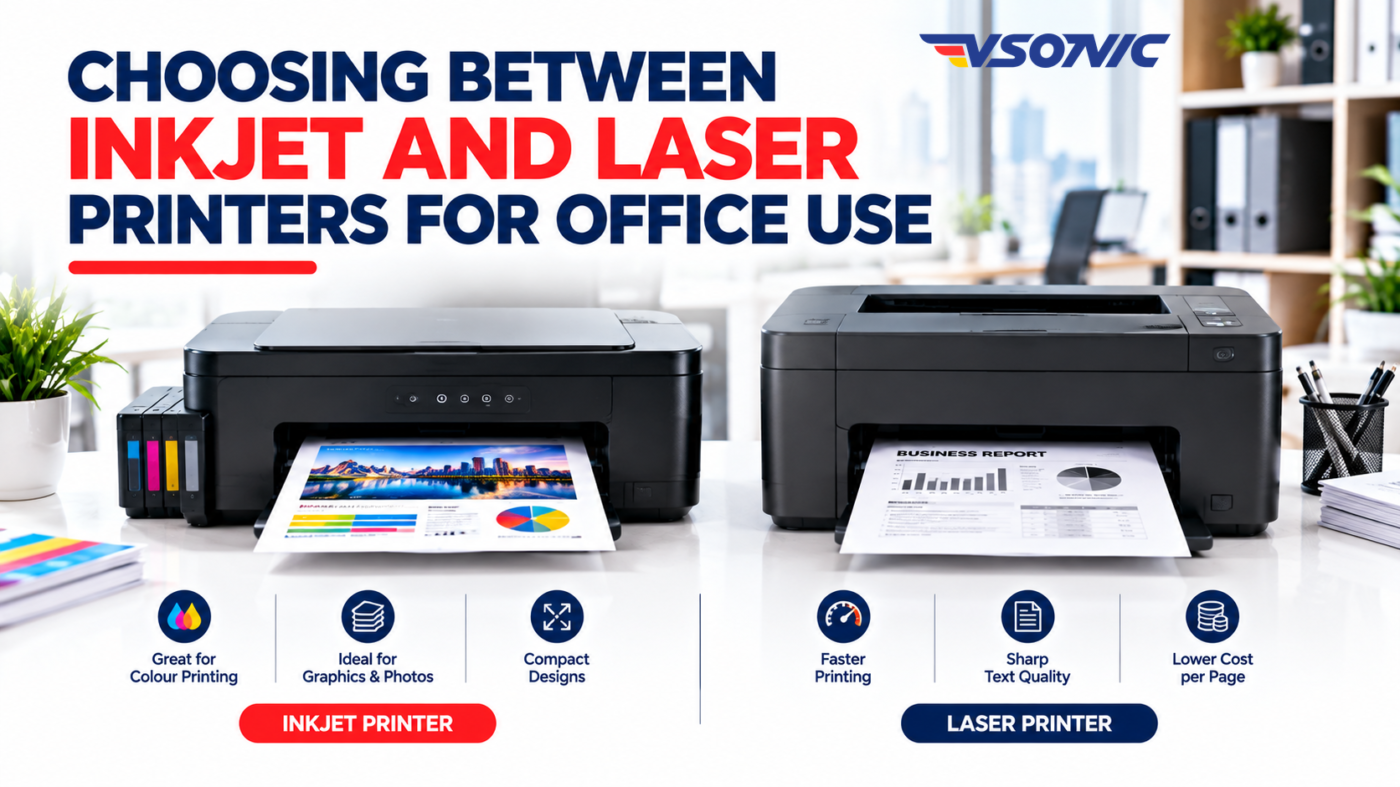
Choosing the right printer for your office can make a significant difference to productivity, operating costs, and the quality of your documents. Whether you run a small business, manage a school, operate a corporate office, or work from home in Nigeria, selecting the right printer requires more than comparing purchase prices.
Two of the most common options are inkjet and laser printers. Both can handle everyday office printing, but they differ in printing technology, speed, running costs, maintenance requirements, and suitability for different workloads.
So, which is better for office use: an inkjet printer or a laser printer?
The answer depends on how frequently you print, what you print, how much you want to spend over time, and the features your office needs. This guide explains the differences to help you make an informed decision.
1. What Is an Inkjet Printer?
An inkjet printer produces text and images by spraying tiny droplets of liquid ink onto paper. Depending on the model, it may use separate ink cartridges or refillable ink tanks.
Inkjet printers are popular because they are available in different sizes and price ranges. Many models also offer colour printing, making them useful for offices that produce photographs, colourful presentations, marketing materials, charts, and graphics.
Advantages of inkjet printers
- Excellent colour output: Suitable for documents containing images, graphics, charts, and detailed illustrations.
- Affordable entry-level options: Some models have relatively low initial purchase prices.
- Compact designs: Many inkjet printers fit comfortably on office desks or in small workspaces.
- Multifunction capabilities: Selected models combine printing, scanning, and copying in one device.
- Ink tank alternatives: Refillable ink tank models can reduce the cost per page when printing regularly.
Disadvantages of inkjet printers
Ink cartridges can become expensive when replaced frequently. Some models also print more slowly than comparable office laser printers, particularly when producing large volumes of documents.
Another consideration is that ink can dry or clog in the printhead if a printer remains unused for extended periods. This makes usage patterns important when choosing an inkjet printer for an office.
2. What Is a Laser Printer?
A laser printer uses a laser or similar light-based imaging system, a photosensitive drum, and toner powder to produce text and images on paper. Heat and pressure help fuse the toner onto the page.
Laser printers are widely used in offices that regularly print invoices, reports, contracts, letters, forms, and other business documents.
They are available in monochrome models, which print in black and white, and colour models that use multiple toner colours.
Advantages of laser printers
- Fast printing: Many office laser printers handle large document batches efficiently.
- Sharp text: They are particularly well suited to business documents containing small text and detailed tables.
- Efficient high-volume printing: Many models are designed for regular workloads.
- No liquid ink to dry out: Toner does not dry in the same way as inkjet ink.
- Convenient document handling: Selected office models offer automatic duplex printing, larger paper trays, and automatic document feeders.
Disadvantages of laser printers
Laser printers may cost more initially, particularly colour models and multifunction business devices. Replacement toner cartridges can also be expensive, although their page yields may be high.
Colour laser printers are not always the best choice for photo-quality printing. In addition, laser printers can be larger and heavier than compact inkjet alternatives.
3. Inkjet vs Laser Printers: Key Differences
The table below summarises the major differences to consider when choosing an office printer.
| Feature | Inkjet printer | Laser printer |
|---|---|---|
| Printing technology | Liquid ink | Toner powder |
| Text documents | Good to excellent | Generally excellent |
| Colour graphics and photos | Often very good | Good for business graphics; varies by model |
| Printing speed | Varies; often slower on entry-level models | Often faster for office document workloads |
| Initial cost | Often lower for basic models | Often higher for comparable business features |
| Running costs | Depends on cartridges, ink tanks, and usage | Depends on toner yield, drum, and other consumables |
| High-volume printing | Suitable with the right model | Often well suited to frequent, high-volume printing |
| Long periods without use | Ink may dry or clog | Toner does not dry out like liquid ink |
| Typical office applications | Colour documents, graphics, occasional printing | Reports, invoices, forms, and frequent document printing |
These are general comparisons, not universal rules. An ink tank printer may have lower running costs than some laser printers, while a business-grade inkjet may outperform a basic laser model in particular tasks.
4. Initial Price vs Long-Term Running Costs
One of the most common mistakes businesses make is choosing a printer based only on its purchase price.
A printer that costs less initially may require expensive consumables. Conversely, a more expensive model may save money over time if it has a lower cost per page and suits your workload.
Before purchasing, consider these factors:
Cost per page: Estimate the cost of ink or toner divided by the expected number of pages produced. Use the manufacturer’s stated page yield as a guide, remembering that actual results vary with coverage, document type, and printing conditions.
Consumables: Check the price and availability of compatible replacement cartridges, toner, drums, and maintenance supplies. Some laser printers have separate drum units, while others combine components in their cartridges.
Printing volume: An office printing a few documents each week has different needs from a business printing hundreds of invoices daily.
Maintenance and downtime: Consider cleaning, servicing, replacement parts, and the effect of a printer being unavailable during busy periods.
For businesses in Nigeria, local access to replacement consumables and reliable servicing is particularly important. A printer that is difficult or expensive to maintain may become an operational burden.
5. Which Printer Is Best for Different Office Environments?
The right choice depends on the nature of your work.
Small businesses and startups
If your business prints occasional letters, quotations, receipts, and administrative documents, an affordable multifunction inkjet may be sufficient. A refillable ink tank model can be worth considering if you also need regular colour printing.
However, a monochrome laser printer may be more practical if most of your documents contain black text and you print frequently.
Corporate offices and busy administrative departments
Laser printers are often a strong choice for offices that produce reports, contracts, invoices, internal memos, and other text-heavy documents throughout the day.
Look for appropriate print speeds, paper capacity, network connectivity, automatic duplex printing, and a recommended monthly duty cycle that matches your workload.
Schools and educational institutions
Schools may need to print lesson notes, examination materials, assignments, administrative records, and colourful learning resources.
A monochrome laser printer can serve high-volume text printing, while a colour inkjet or ink tank printer may suit graphics and educational materials. Larger institutions may benefit from using different printers for different departments.
Marketing teams and creative departments
Teams producing colourful presentations, promotional materials, graphics, or photo-rich documents may prefer an inkjet printer with suitable colour reproduction.
For professional production, check the printer’s supported paper types, colour capabilities, and output quality rather than assuming every inkjet model is suitable for every creative task.
Home offices and remote workers
For occasional printing in a compact workspace, a small inkjet multifunction printer may offer useful flexibility. If you primarily print contracts, reports, and black-and-white documents, a compact monochrome laser printer may be the more practical option.
6. Important Features to Check Before Buying
Beyond the printing technology, compare the features that affect daily office productivity.
- Print speed: Check the rated pages per minute and whether the specification refers to black-and-white or colour printing.
- Automatic duplex printing: Allows printing on both sides of the paper without manually turning each sheet.
- Wi-Fi and Ethernet: Useful for offices where multiple employees need to print from different devices.
- USB connectivity: Helpful for direct connections to a computer.
- Multifunction features: Determine whether you need scanning, copying, or faxing in addition to printing.
- Paper capacity: A larger tray can reduce interruptions in a busy office.
- Monthly duty cycle and recommended volume: Check both figures. The maximum duty cycle is not necessarily a recommended sustainable monthly workload.
- Consumable availability: Confirm the availability and cost of replacement ink, toner, and other required parts.
Also consider whether the printer supports your computers, operating systems, mobile devices, and office network.
7. Common Mistakes to Avoid
Choosing based on purchase price alone: Calculate the likely cost of ownership, including consumables and maintenance.
Ignoring printing volume: A printer intended for occasional home use may struggle to meet a busy department’s requirements.
Paying for features you do not need: A colour multifunction printer may be unnecessary if your office only prints black-and-white invoices.
Overlooking consumable availability: Check the replacement supplies before committing to a particular model.
Ignoring connectivity: A printer without suitable network or wireless options can complicate shared office printing.
Failing to consider future growth: If your organisation expects to hire more employees or increase its workload, choose a printer that can accommodate realistic future demand.
8. Frequently Asked Questions
Is an inkjet or laser printer better for office use?
Neither is automatically better. Laser printers are often well suited to frequent text-heavy printing, while inkjet printers can be preferable for colour graphics, photographs, and offices that need flexible colour output.
Which printer is cheaper to maintain?
It depends on the model, consumables, printing volume, and maintenance requirements. Compare cost per page, cartridge or toner yield, and replacement-part availability before deciding.
Can an inkjet printer handle high-volume office printing?
Yes. Some business inkjet and ink tank models are designed for substantial workloads. Check the recommended monthly print volume, speed, and maintenance requirements.
Should an office buy a colour or monochrome printer?
Choose monochrome if most of your printing involves black text and colour is rarely necessary. Choose colour if your employees regularly produce charts, presentations, graphics, or marketing materials.
Are laser printers suitable for small businesses?
Yes. A compact monochrome laser printer can be an excellent option for small businesses that frequently print invoices, reports, quotations, and other text-based documents.
Conclusion: Choose the Printer That Fits Your Business
Choosing between inkjet and laser printers for office use comes down to your workload, document requirements, budget, and long-term operating costs.
Inkjet printers can be excellent for colour output, flexible everyday printing, and selected budget-conscious setups. Laser printers are often a strong option for businesses that prioritise sharp text, fast document production, and frequent printing.
Before making a decision, compare the total cost of ownership, printing volume, connectivity, consumable availability, and features your employees actually need.
Looking for the right printer for your office? Explore technology products and office equipment at VSONIC.NG and choose solutions that support your business productivity, everyday operations, and future growth.