Choosing a television for your home is no longer just about screen size, picture quality or price. Today’s televisions come with internet connectivity, streaming applications, voice controls and other features designed to make home entertainment more convenient. But when comparing Smart TVs vs Android TVs, how do you know which one is right for your household?
You have probably seen televisions advertised as Smart TVs, Android TVs or Google TVs. Although these terms are related, they do not mean exactly the same thing.
Understanding the differences can help you choose a television that suits your family’s entertainment needs, preferred streaming services and budget. Let’s break it down.
1. What Is a Smart TV?
A Smart TV is a television that connects to the internet and allows you to access online entertainment services and applications without needing a separate streaming device.
Depending on the brand and model, a Smart TV can allow you to:
- Watch YouTube videos and online content.
- Stream movies and television programmes.
- Access supported music and entertainment applications.
- Connect to your home Wi-Fi network.
- Share or mirror content from compatible smartphones.
- Use voice controls and other connected features.
However, Smart TV is a general category, not a specific operating system.
Different television manufacturers use different platforms to power their Smart TVs. For example:
- Samsung uses Tizen OS.
- LG uses webOS.
- Some Hisense models use VIDAA.
- Other manufacturers offer Android TV or Google TV.
This means two televisions can both be called Smart TVs but have different interfaces, applications and features.
2. What Is an Android TV?
Android TV is a smart television operating system developed by Google.
It provides an interface designed for television screens, allowing users to access compatible applications, streaming services and other entertainment features.
Depending on the television model, Android TV may offer:
- Access to compatible apps through Google Play.
- YouTube and supported streaming services.
- Google Assistant voice control.
- Google Cast or Chromecast functionality.
- Smartphone integration.
- Supported games and entertainment applications.
One advantage is its integration with Google’s ecosystem. If you already use Android smartphones and Google services, you may find the experience familiar.
However, not every application designed for Android phones works on Android TV. Applications must support the television platform, and availability can vary by model and region.
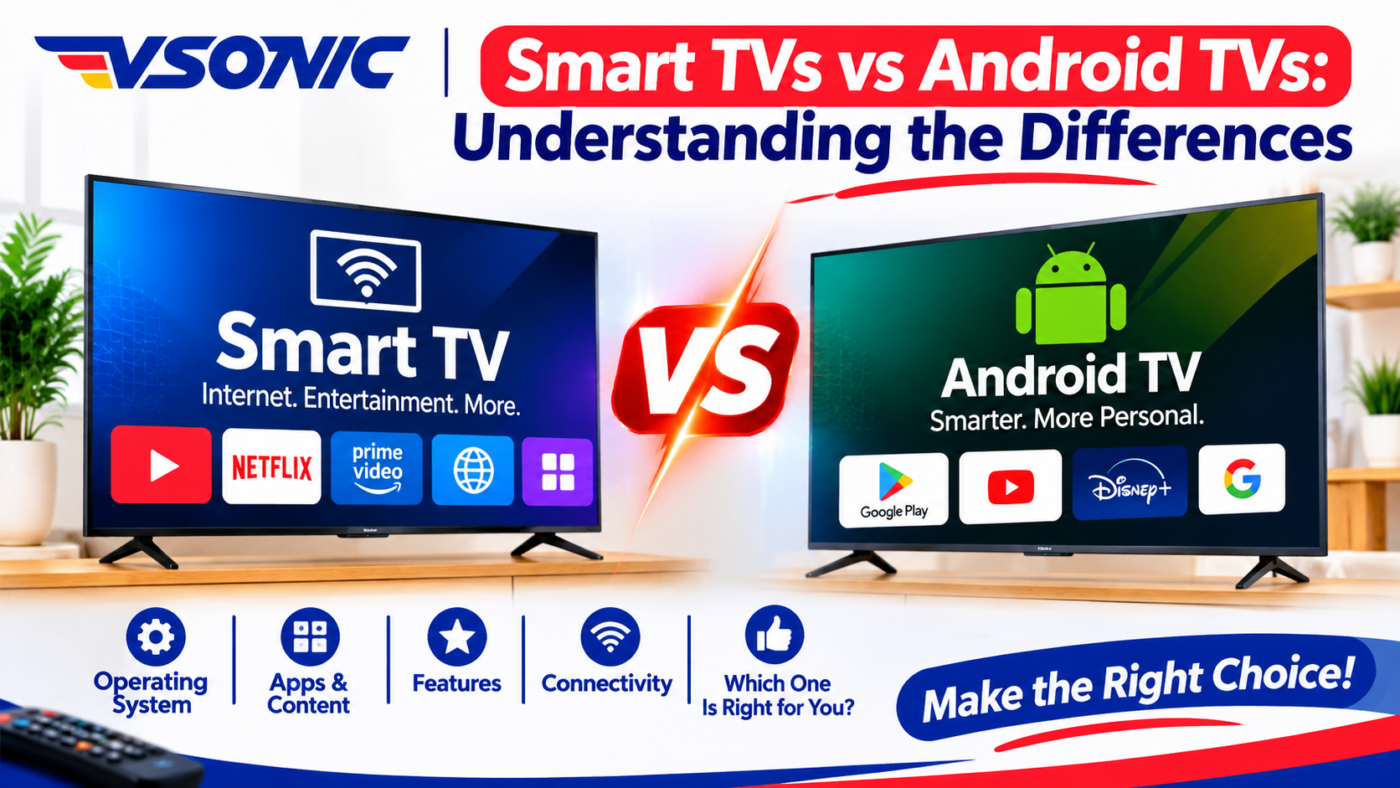
3. Smart TVs vs Android TVs: What Are the Main Differences?
The biggest difference is the operating system that powers the television and the applications and services available through it.
| Feature | Other Smart TVs | Android TVs |
|---|---|---|
| Meaning | General category of internet-connected televisions | Smart TVs using Google’s Android TV OS |
| Operating system | Depends on manufacturer | Android TV OS |
| App store | Manufacturer’s app store | Google Play Store for compatible TV apps |
| Streaming apps | Depends on platform and model | Depends on app and device compatibility |
| Voice control | Depends on manufacturer | Google Assistant on supported models |
| Smartphone integration | Varies by brand | Google Cast or other supported features |
| User interface | Varies by manufacturer | Google’s Android TV interface |
| Software updates | Depends on manufacturer | Depends on Google and the TV manufacturer |
Remember that Android TVs are also Smart TVs. The comparison is really between Android-based Smart TVs and televisions running other smart TV operating systems.
4. What About Google TV? Is It Different from Android TV?
Google TV is another name you may encounter when shopping for a television.
It is a newer, personalised smart TV experience built on the Android TV operating system.
Although Android TV and Google TV share the same underlying platform, their interfaces and content-discovery experiences are different.
Android TV provides an app-focused interface, while Google TV places greater emphasis on personalised recommendations and bringing entertainment options together in one experience.
Both support compatible streaming applications and Google services, but the exact features depend on the television model and region.
So, if you see a television advertised as Google TV, understand that it is part of Google’s Android TV ecosystem, rather than a completely unrelated platform.
5. Which Television Offers More Applications?
Application availability is an important consideration, especially if your household regularly streams movies, watches online videos or uses music services.
Android TV and Google TV provide access to compatible applications through Google Play. Other Smart TV platforms have their own application stores.
For example, Samsung’s Tizen and LG’s webOS offer supported entertainment applications through their respective ecosystems.
Before buying, check whether the specific television supports the services your household uses.
These may include:
- YouTube.
- Netflix.
- Prime Video.
- Showmax, where supported.
- Music and entertainment applications.
- Other streaming services you regularly use.
Having a large application store does not automatically make one television better. What matters is whether the applications you need are available and work properly on the particular model.
Some streaming services also require separate subscriptions.
6. Which Is Easier for the Family to Use?
A television should be convenient for everyone in the household, not just the person who buys it.
Android TV offers a familiar experience for people who use Google’s services. Its interface provides access to installed applications, settings and supported recommendations.
Google TV offers a more content-focused experience, helping viewers discover movies and programmes across supported services.
Other Smart TV platforms can also be straightforward. Samsung’s Tizen and LG’s webOS, for example, have their own organised menus and application experiences.
When shopping, consider the people who will use the television. Check the remote control, menu layout, responsiveness and ease of finding applications.
If possible, test the television in a showroom before making your decision.
7. Do Smart TVs and Android TVs Need Internet?
Both types of television can perform basic functions without an internet connection, such as displaying content from compatible broadcast connections, HDMI devices or USB media.
However, many smart features require internet access.
You will generally need an internet connection to:
- Stream movies and online videos.
- Download or update applications.
- Access internet-based entertainment services.
- Use supported online features.
- Receive certain software updates.
A stable Wi-Fi connection is useful, particularly when streaming high-quality video.
If your home internet connection is unreliable, check whether the television supports an Ethernet connection as an alternative.
8. What Should You Consider Before Buying a Television for Your Home?
Choosing between Android TV and another Smart TV platform should involve more than looking at the operating system.
Here are some important features to compare:
Screen size: Choose a television that fits your living room, bedroom or preferred viewing space. Consider the viewing distance and available wall or stand space.
Display resolution: Compare HD, Full HD and 4K options based on your budget and viewing requirements.
Picture quality: Consider brightness, contrast, colour reproduction and panel technology. Two televisions with the same resolution can produce different viewing experiences.
Operating system: Check the interface, available applications and ease of navigation.
Connectivity: Look at Wi-Fi support, HDMI ports, USB ports and Ethernet connectivity where available.
Sound quality: Compare the built-in speakers and check whether the television supports the soundbar or home theatre system you intend to use.
Software support: Check the manufacturer’s update policy and whether the model is likely to receive the features you need.
Warranty and after-sales support: Buy from a reliable seller and understand the warranty terms before making payment.
9. Should You Buy an Android TV or Another Smart TV?
The right choice depends on your household’s entertainment preferences, budget and the features you value most.
Consider Android TV or Google TV if:
- You prefer Google’s television ecosystem.
- You want access to compatible applications through Google Play.
- Your household regularly uses Google services.
- You want supported Google Cast or voice-control features.
- You prefer the Android TV or Google TV interface.
Consider another Smart TV platform if:
- You prefer the manufacturer’s interface.
- Your favourite streaming applications are supported.
- You already use devices within that manufacturer’s ecosystem.
- The television offers the display quality, features and price you want.
There is no universal winner. A good Samsung or LG Smart TV may be a better purchase than an entry-level Android TV, depending on the actual specifications and your household’s needs.
The operating system matters, but it should not be the only reason you choose a television.
Final Thoughts
Understanding Smart TVs vs Android TVs makes it easier to choose a television that suits your home and entertainment preferences.
A Smart TV is any television with internet-connected features, while Android TV is a specific smart TV platform powered by Google’s operating system. Google TV is a newer viewing experience built on that same underlying platform.
Before buying, compare the available applications, display quality, screen size, connectivity, sound, software support and warranty.
Looking to upgrade your home entertainment experience? Explore the Household collection on VSONIC.NG to discover televisions and other household electronics for your living room, bedroom and everyday home use.
VSONIC.NG – Everything Tech. One Platform. One VSONIC.